Most of the time, operating AWS means context-switching. You’re writing code, you need to check a resource, you open the console or flip to a terminal and run a CLI command, you get the output, you go back to what you were doing. It’s low-friction individually but adds up across a full day of work.
The AWS MCP server changes that loop. Instead of leaving your context, you describe what you want to an AI agent — and it queries, modifies, or inspects your AWS environment directly, in the same session you’re already in.
What MCP Actually Is
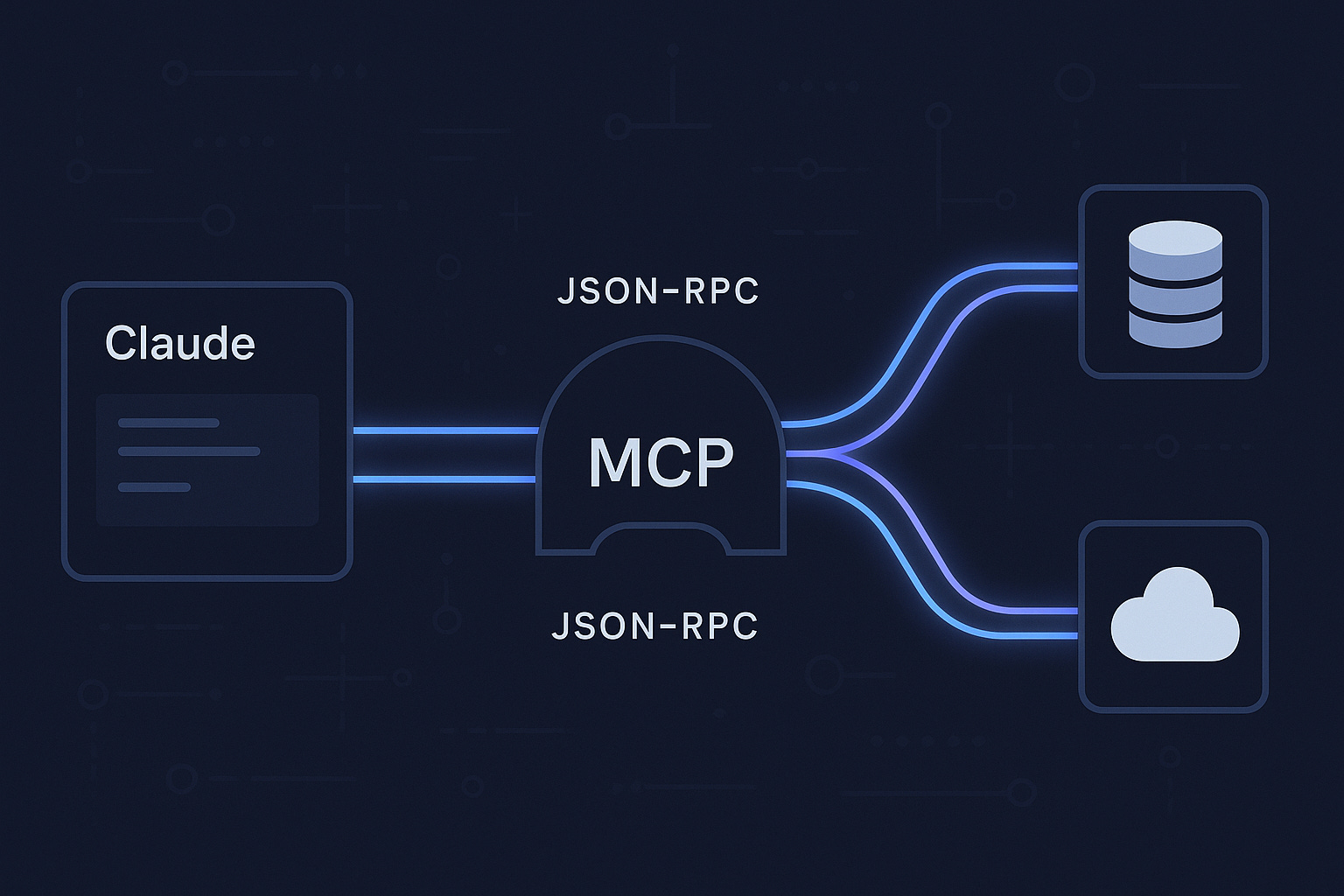
MCP stands for Model Context Protocol — an open standard developed by Anthropic that defines how AI models connect to external tools and data sources. Think of it as a USB standard for AI integrations: instead of every AI tool building its own proprietary connector to every service, MCP provides a consistent interface that works across models and clients.
An MCP server exposes a set of tools that an AI agent can invoke. The agent decides when to use them, calls them with structured inputs, and gets structured outputs back — all within a conversation or task session.
AI Agent ←→ MCP Client ←→ MCP Server ←→ External Service
                                         (AWS, GitHub, DBs, etc.)
The AWS MCP server exposes the AWS CLI as a set of callable tools. The agent can list your S3 buckets, describe EC2 instances, check CloudFront distributions, invoke Lambda functions — anything you’d normally do with aws commands — without you writing a single CLI call.
Setting It Up with Claude Code
If you’re using Claude Code, adding the AWS MCP server is a few lines in your settings:
{
  "mcpServers": {
    "aws-api": {
      "command": "npx",
      "args": ["-y", "@aws/aws-mcp-server"]
    }
  }
}
Once configured, Claude Code has access to your AWS environment in every session. Your local AWS credentials are used — so whatever permissions your configured profile has, the agent has.
The first time you use it, it reads the available tools and understands what’s possible. From there, you interact naturally.
What This Looks Like in Practice
I use it daily for this site’s infrastructure. The setup is S3 + CloudFront + WAF in ap-southeast-1. Here’s the kind of thing I can now just ask:
“Check the current CloudFront custom error responses for distribution E14E2BP7JVT031”
The agent calls the relevant describe command, parses the JSON response, and gives me a plain-language summary. No aws cloudfront get-distribution-config --id ... | jq '.DistributionConfig.CustomErrorResponses' needed.
For something more consequential — like updating the distribution config — the agent constructs the full command, shows me exactly what it will execute, and waits for approval before running it. The human stays in the loop for mutations; reads are fast and automatic.
Real examples from my own workflow:
> Why are missing pages showing "Access Denied" instead of my 404 page?

→ Agent checks CloudFront error response config
→ Identifies: 403 from S3 (private bucket) isn't mapped to /404.html
→ Proposes the fix, writes the updated config, applies it on approval
What would have been a 15-minute debugging loop — console, CLI, docs, JSON editing — became a two-minute conversation.
The Underlying Mechanic
What makes this work well isn’t just “AI runs AWS commands.” It’s that the agent maintains context across the whole task. When it’s helping you debug a CloudFront issue, it already knows:
- The distribution ID you’re working with
- What it found in the last describe call
- What the error response configuration looks like
- What the likely cause is given the architecture pattern (private S3 + OAC)
Each tool call builds on the last. The agent isn’t executing isolated commands — it’s reasoning through your infrastructure the way a colleague would, using each result to inform the next question.
What to Actually Watch Out For
This is powerful and that makes it worth thinking carefully about.
Credentials scope matters. The MCP server uses your local AWS credentials. If you’re running with an admin role, the agent has admin access. Use a least-privilege profile for MCP sessions, especially if you’re working with production accounts. The agent is conservative by default — it asks before mutating anything — but defense in depth applies.
Read operations are fast; write operations need review. I let the agent run describe/list/get commands freely. For creates, updates, and deletes I always read the proposed command before approving. The agent shows you exactly what it will run — use that.
Complex JSON payloads need care. The AWS CLI sometimes requires large JSON configs (CloudFront distribution updates, IAM policies). The agent handles these by writing to temp files and referencing them with file:// paths. It works, but verify the payload when the stakes are high.
It’s not a replacement for knowing your infrastructure. The agent surfaces what’s there, but you need to understand what the output means to make good decisions. This is a force multiplier for engineers who know AWS — not a substitute for learning it.
Why This Matters Beyond Convenience
The convenience angle is real but it’s also the least interesting part. What’s more significant is the shift in how you think about cloud operations.
When the overhead of querying your infrastructure drops to near zero, you ask more questions. You sanity-check assumptions you’d normally skip because “it’s probably fine.” You catch drift between what you thought was configured and what actually is. The feedback loop between “I wonder if…” and “here’s the actual answer” collapses from minutes to seconds.
That’s not just faster — it’s a different working mode. Infrastructure becomes more observable, not just more automated.
MCP is still early. The tooling is maturing, the server ecosystem is growing, and the patterns for using it well are still being figured out. But the direction is clear. AI agents that can see and act on your real environment — not just generate plausible-looking code in isolation — are fundamentally more useful. The AWS MCP server is a concrete demonstration of what that looks like in practice.